Page 1 of 1
Cant adjust VEAL table
Posted: Sat May 14, 2011 3:07 pm
by Space387
I have TS installed on a Micro ITX PC in my dash running ver 1.002. The issue I am having is when I open up VE analyze and go to advance settings because the screen is so small it is cutting off the lower section preventing me from making table adjustments and the table being used is tuning the engine very lean. Is there a way to make this accessible or how to put a table from one of my other 2 computers with TS into my car.
Thanks in advance
AJ
Re: Cant adjust VEAL table
Posted: Sun May 15, 2011 4:51 am
by LT401Vette
I assume you can not get to the buttons for far target or Lambda delay tables? What resolution are you running at?
What look and feel are you using? Nimbus takes a lot of space and pushes things down. Using the default Metal Look & Feel everything should fit on the screen at 600 px high. Try changing the look and feel back to the default, or better yet Windows if you are on Windows. The Windows look & feel while looking a bit more bland, is the most space friendly.
Also, if you hit the full screen button that gives VEAL a good bit more space on little screens.
Re: Cant adjust VEAL table
Posted: Sun May 15, 2011 5:30 pm
by Space387
Thanks I will try that tomorrow. I am running on default settings for look and feel on 800X600px
Re: Cant adjust VEAL table
Posted: Sun May 22, 2011 7:38 pm
by Space387
full screen on windows look and I still cant see the buttons for the table selection is there a back way into it or can I load the profile into one of my other computers that have TS on it and make the changes there?
Re: Cant adjust VEAL table
Posted: Sun May 22, 2011 8:00 pm
by kjones6039
My work-around is to move the task bar from the bottom of the screen to the side. Gives a bit more vertical space.
Ken
Re: Cant adjust VEAL table
Posted: Sun May 22, 2011 9:04 pm
by Space387
I need about another 1.5 inches the task bar is only 1/4 of an inch so I need another fix but thanks for the reply
Re: Cant adjust VEAL table
Posted: Mon May 23, 2011 4:24 am
by LT401Vette
I'm failing to see how you have it set up that you can't get to the buttons?? At 800x600 without going full screen, the buttons are there:
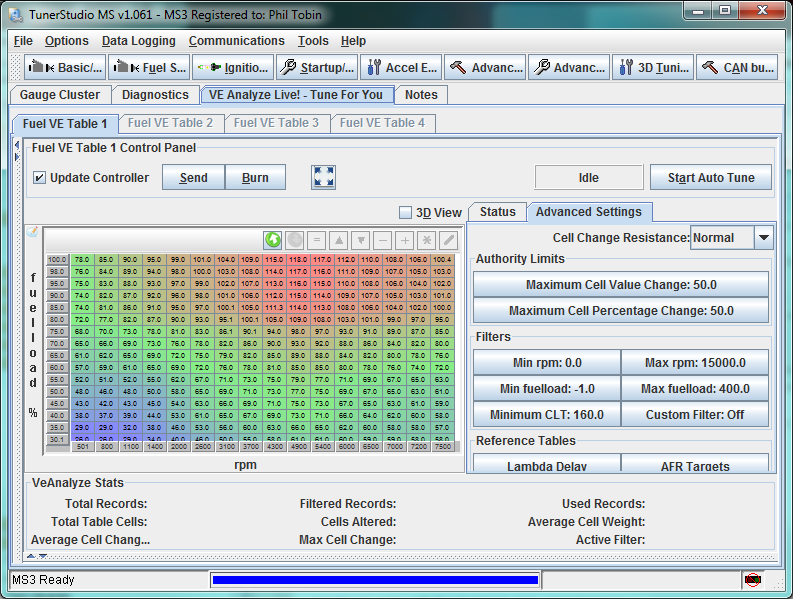
If I turn it to windows look & Feel, it has plenty of left over space:
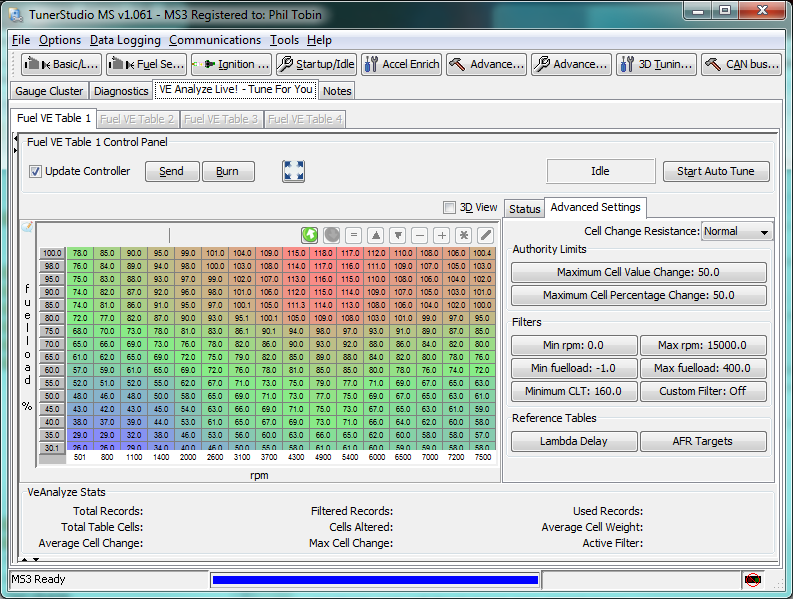
Fullscreen:
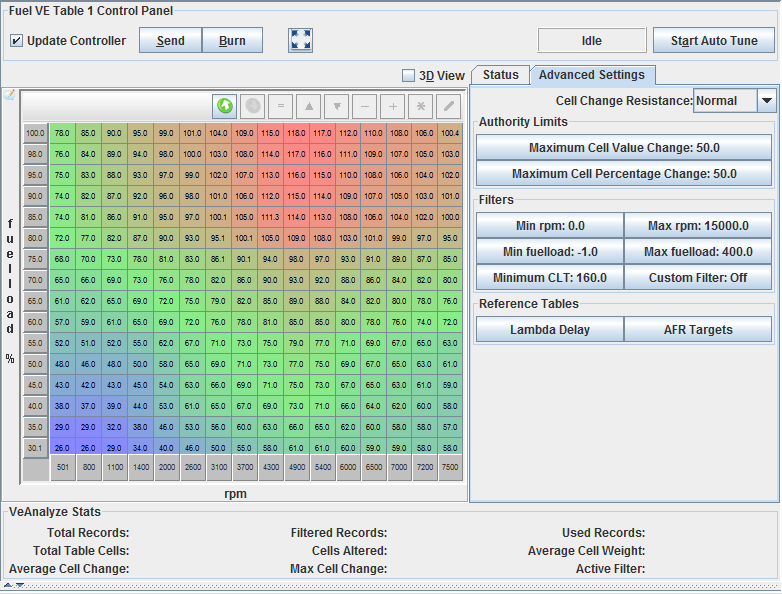
Maybe you didn't notice you can make the lower graph go away?
Also by default TS uses the same target AFR table as the firmware, so you can adjust it through the normal menus.